Insurance, Retirement & Administration Platforms
Enterprise Product Design at Scale
From workflow improvements and design systems to AI-driven concepts, this work focuses on making complex enterprise software easier to understand and operate.
0+
Product Streams
0+
Product Improvements
Enterprise
Ecosystem
+0 Years
Of Collaboration
What is this about?
Project Overview
For nearly five years, I worked as a Senior UX/UI Designer on a large ecosystem of enterprise platforms supporting:
- Insurance
- Retirement
- Enrollment
- Claims
- Billing
- Security
- Framework and administrative operations across North America.
Unlike traditional product teams focused on a single application, my work spanned multiple products, business domains and cross-functional teams. This required balancing user needs, business objectives, technical constraints, accessibility requirements and client expectations across a constantly evolving enterprise environment.
My focus was not on creating isolated features, but on improving complex workflows, modernizing legacy experiences and helping teams deliver scalable solutions that could evolve alongside the business.

The Challenge
Enterprise software rarely starts from a blank canvas.
Many of the products I worked on supported critical business operations and had evolved over years through changing requirements, regulations, business rules and customer needs.
The challenge was not simply introducing new functionality.
The challenge was improving complex experiences without disrupting existing workflows relied upon by thousands of users.
Common challenges included:
- Complex administrative workflows
- Information-heavy interfaces
- Legacy design patterns
- Cross-product consistency
- Accessibility improvements
- Scalability requirements
- Balancing business, technical and user needs

My Approach
Three principles guided most of my work:
Simplify Complexity
Help users navigate sophisticated workflows without feeling overwhelmed.
Create Consistency
Promote reusable patterns, familiar interactions and scalable design solutions across products.
Design for Change
Build solutions that can evolve alongside future business requirements, regulations and user expectations.
How My Approach Helped?
Selected Work
01 - Claim Center
Action Plan
Challenge
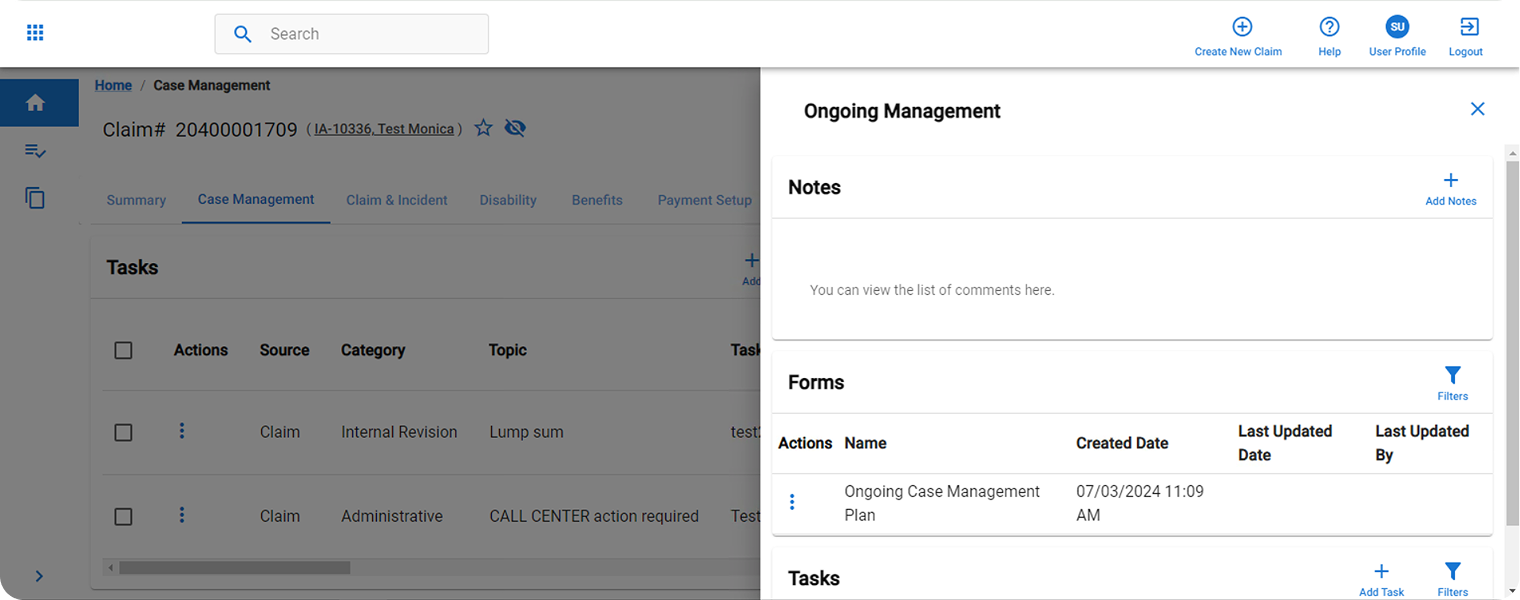
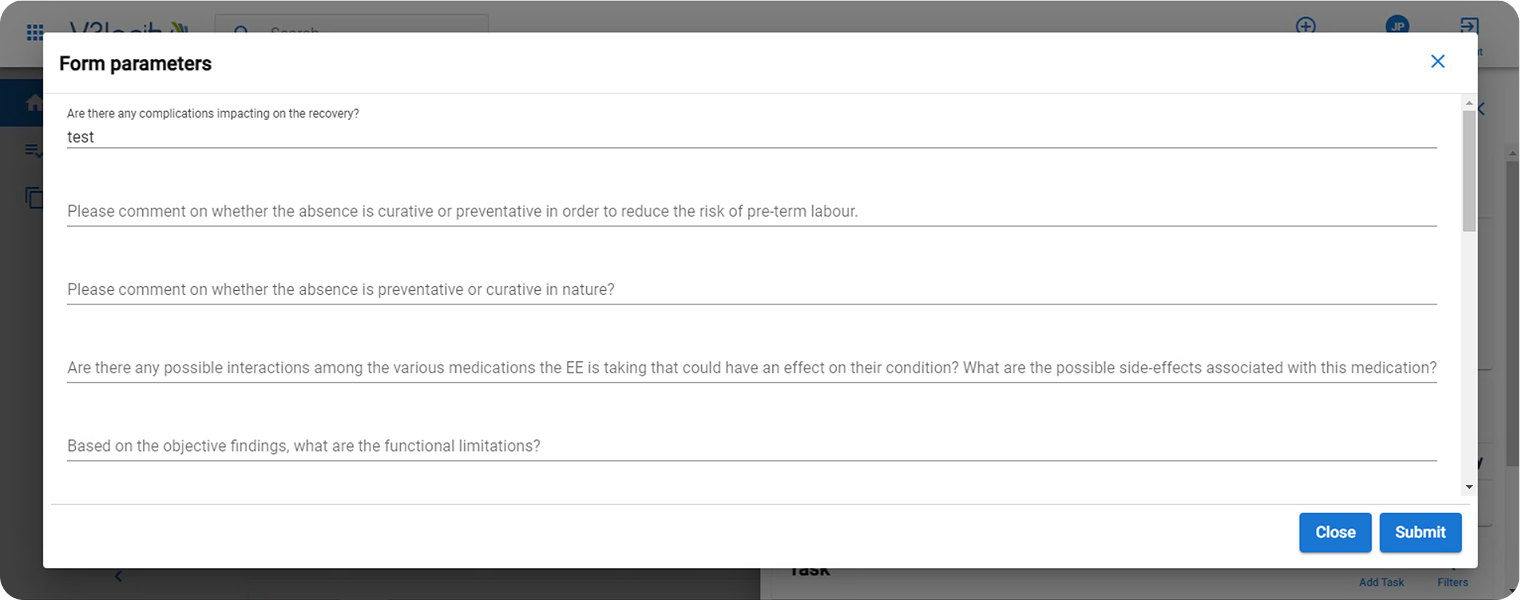
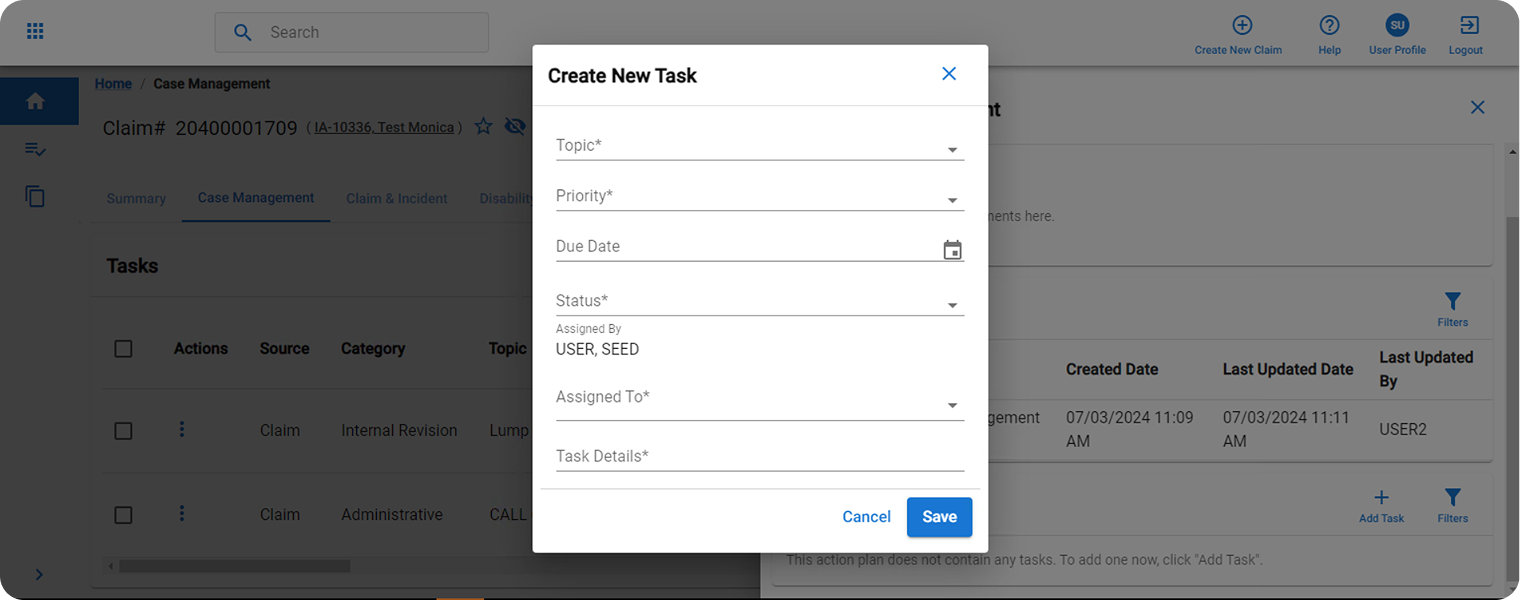
Claim administrators frequently worked across notes, forms and tasks while progressing a claim.
The platform only supported editing one area at a time, forcing users to constantly switch context and follow workarounds to transfer information between different sections.
Solution
I redesigned the experience around a flexible side-panel workflow.
Notes could be edited inline while forms and tasks opened as contextual overlays, allowing users to review, compare and update information without leaving their current workflow.
Result
A more efficient workspace that reduced context switching and made it easier to manage multiple claim-related activities from a single location.
Before Screens
02 - Framework
Visual Designer
Challenge
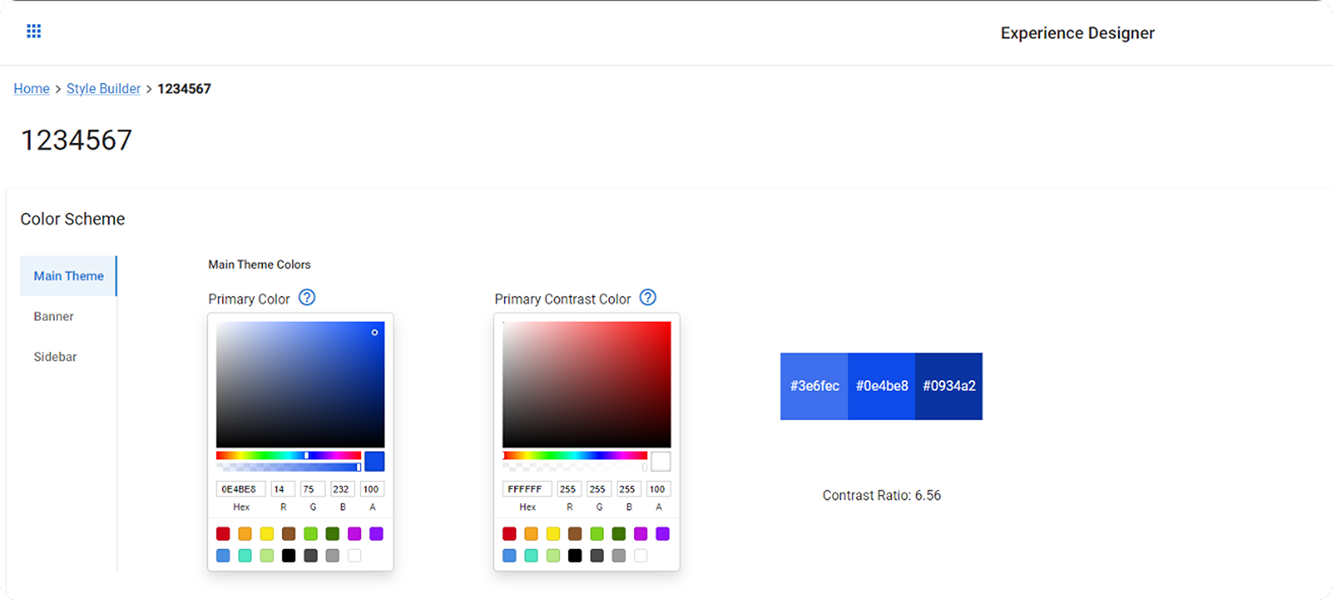
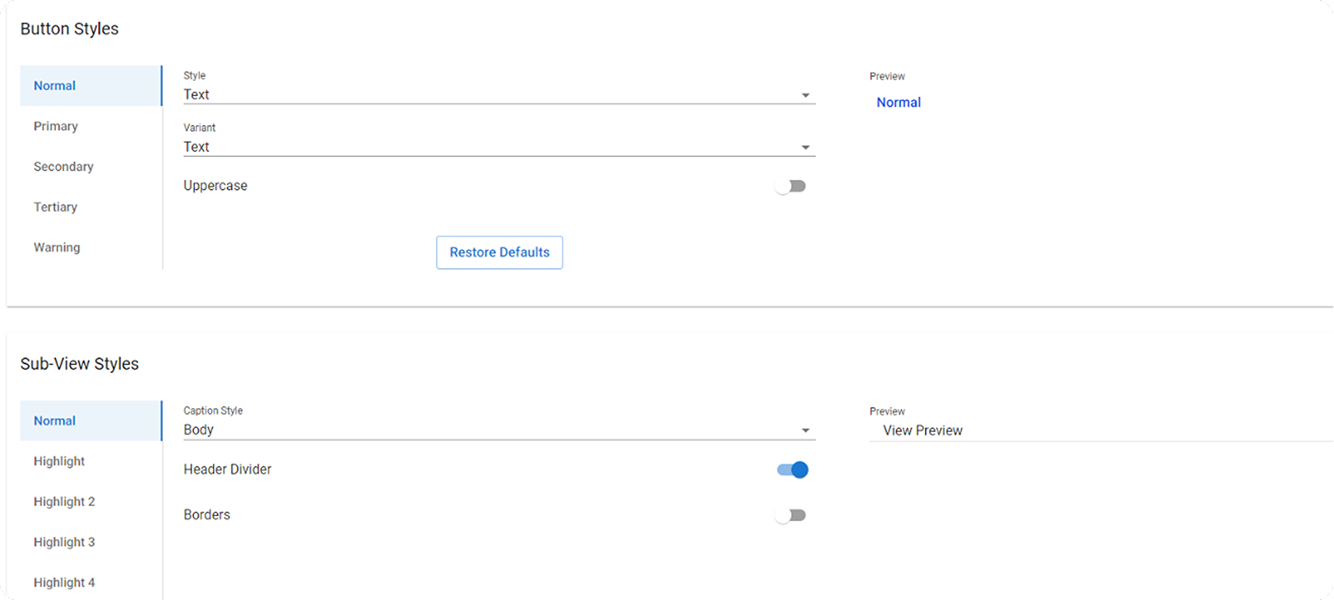
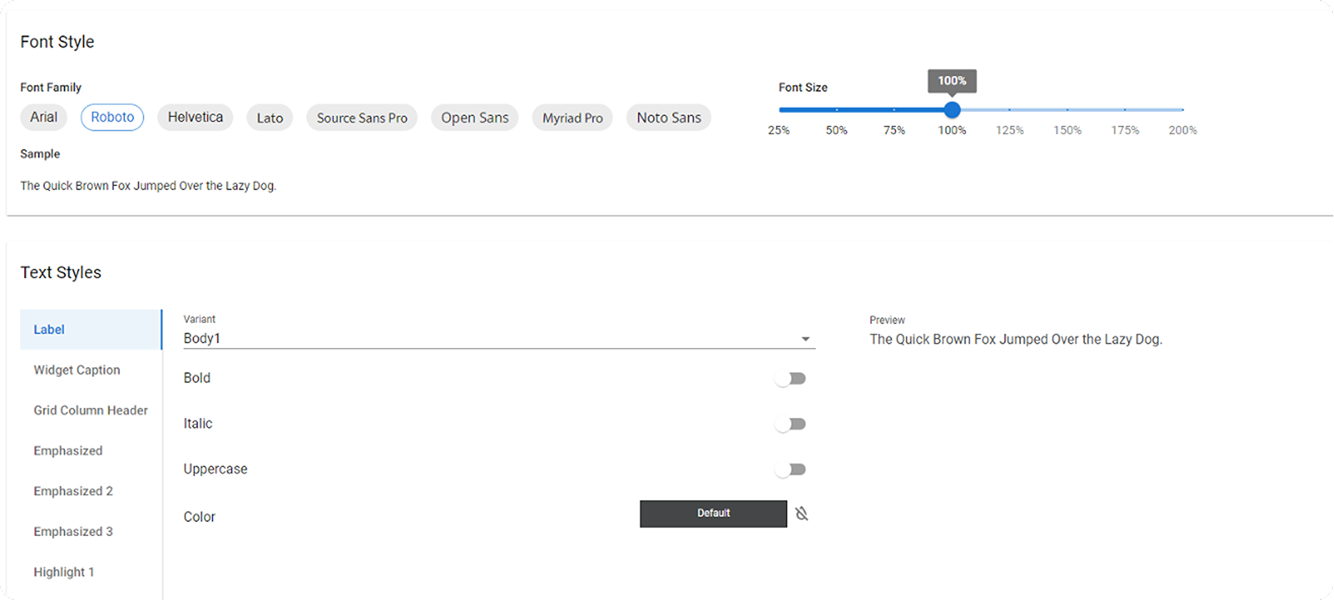
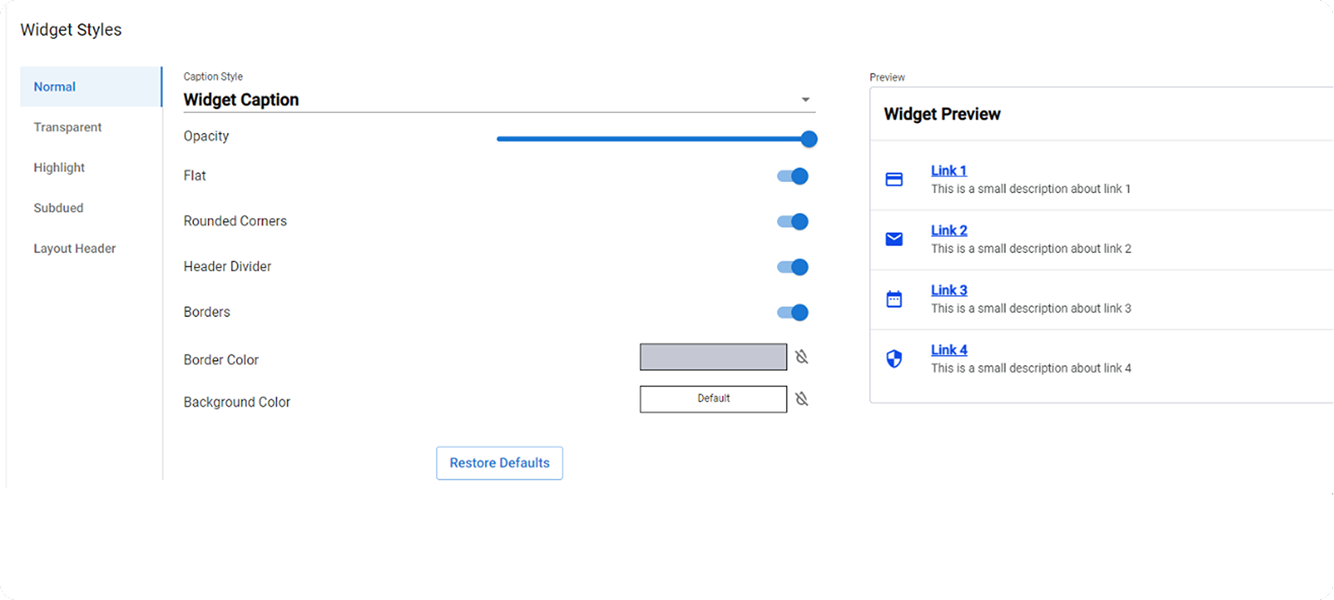
Clients could customize the platform's appearance, but the experience provided little guidance.
Users could create configurations that negatively impacted accessibility, readability, consistency and overall usability.
Solution
I transformed the tool into a guided design portal featuring live previews, contextual examples, accessibility safeguards, predefined configuration ranges based on UX and design system best practices and clear typography guidance to support consistent, readable text styles.
Result
A more intuitive and safer customization experience that balanced flexibility with consistency while helping clients create professional-looking interfaces.
Before Screens
03 - Billing
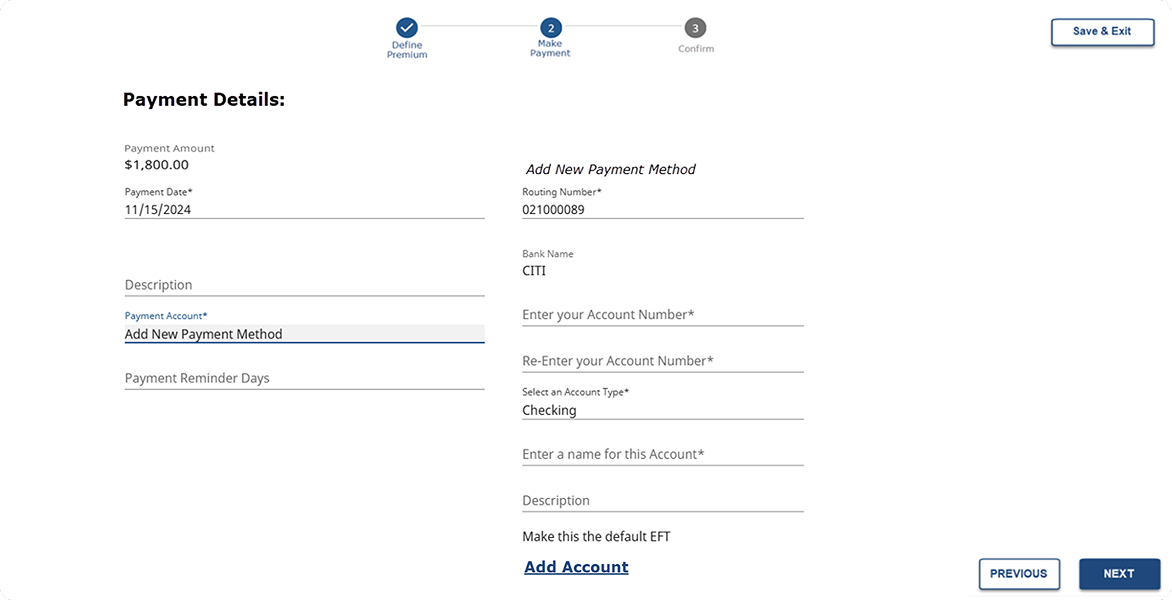
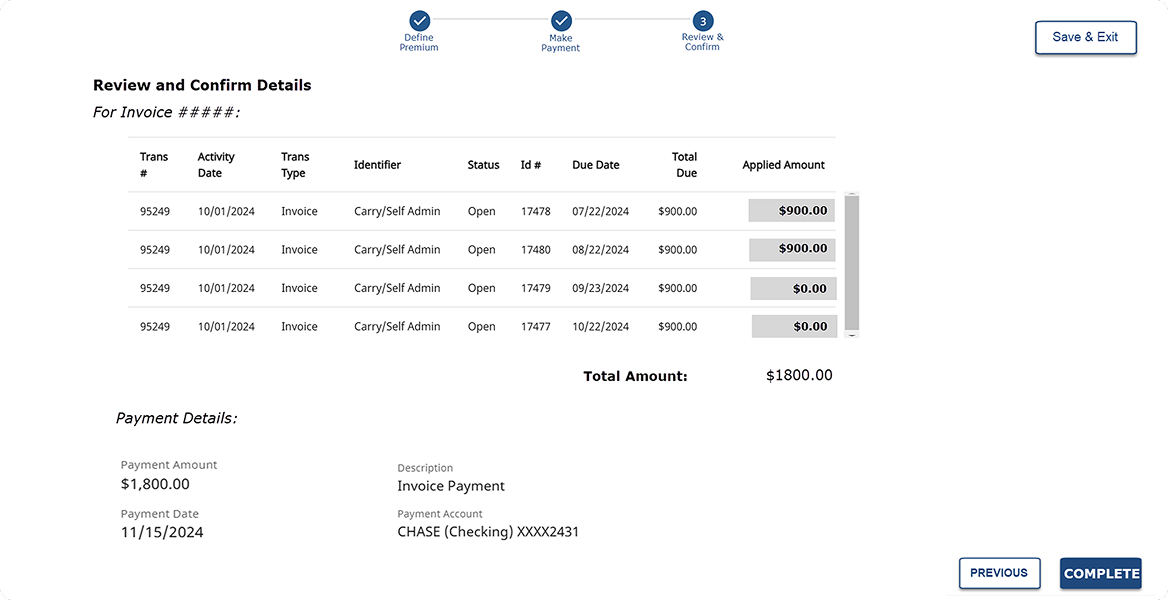
Add New Payment
Challenge
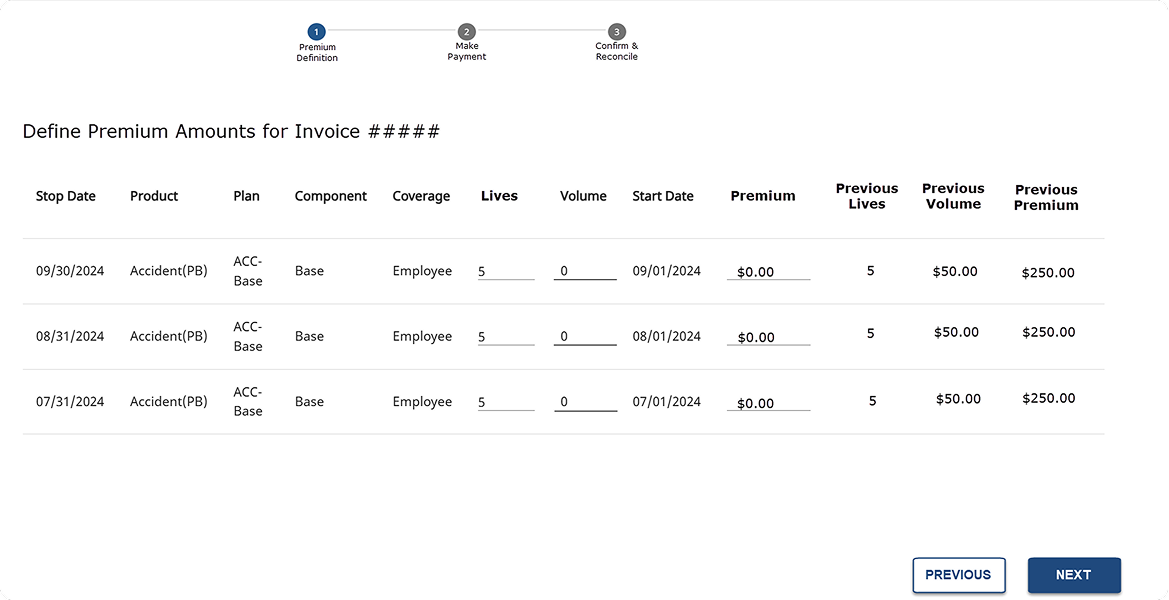
Managing payment methods was cumbersome and key information was scattered throughout the interface.
Users had no efficient way to add payment methods during their current workflow.
Solution
I introduced payment tiles that consolidated payment information into a single view while allowing users to add, edit, remove and assign default payment methods directly within the experience.
Result
A cleaner, more modern workflow that improved discoverability, reduced friction and simplified payment management.
Before Screens
04 - Pension & Enrollment
CSR AI Agent Integration
Challenge
Customer Service Representatives often avoided the built-in notes functionality due to performance issues, poor discoverability and the risk of losing information during navigation.
Solution
I designed an AI-powered assistant capable of capturing notes, analyzing transcripts, suggesting actions, initiating workflows and helping users complete tasks without navigating through multiple areas of the platform.
Result
A future-focused concept aimed at reducing context switching, improving productivity and integrating agentic AI directly into daily customer service operations.
05 - Enrollment
Checklist
Challenge
Users needed to visit multiple areas of the platform to complete routine tasks, review messages, validate information, upload documents and manage workflow-related activities.
Solution
I created a centralized checklist panel that surfaced tasks, inbox items, validations, documents, messages and workflow actions directly within the user's current context.
Result
A more streamlined experience that reduced navigation overhead and enabled users to complete common tasks without interrupting their workflow.
06 - Framework
Create Packets
Challenge
There was no centralized way to create, manage and distribute policy-related document packages. Teams relied on fragmented processes and manual coordination, making it difficult to maintain consistency, track updates and ensure the correct documents reached customers and stakeholders.
Solution
I designed a packet management workflow that allowed users to assemble documents, preview content, rearrange items, create versions, manage drafts, validate content and publish complete packets from a single experience.
Result
A scalable document management solution that improved organization, governance and operational efficiency while supporting future growth.
Achievements
What Was the Outcome?
Successful enterprise products require strong collaboration across disciplines to design and deliver solutions that improve UX, UI and overall usability while increasing client satisfaction and supporting successful product delivery.
Throughout the project I worked closely with:
- Product Owners
- Business Analysts
- Developers
- QA Teams
- Client UX Teams
- Stakeholders
- Subject Matter Experts
This collaboration helped ensure solutions were user-centered, visually effective, technically feasible and aligned with business objectives.
By working closely with cross-functional teams, we were able to deliver intuitive experiences, improve usability and create outcomes that met both client and user needs.
Every Product Has a Story
The most interesting ones usually begin with a challenge worth solving.